ISPs
Multi-WAN for customer networks
Standardize WAN failover and link monitoring across MikroTik deployments.
Centralize up to four WAN links, monitor link health and automate failover and traffic distribution from one cloud platform built for MikroTik RouterOS.
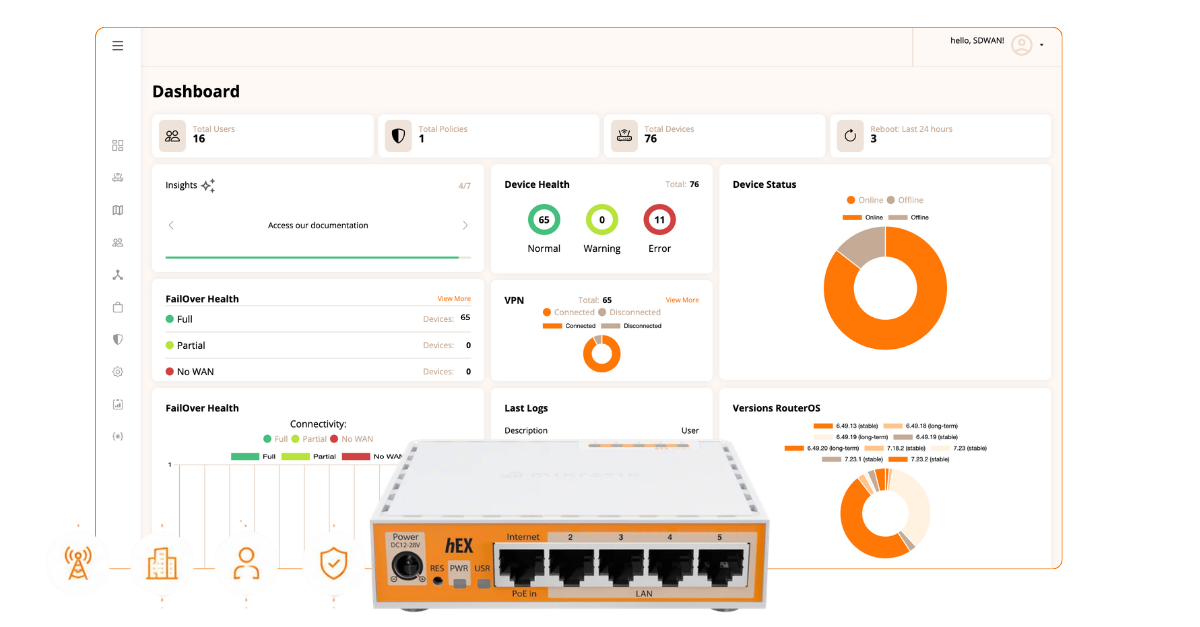
Running multiple internet links often requires complex routing, mangle, PCC and health-check rules. MikroTik SD-WAN centralizes these operations and automates the repetitive work.
Bring core MikroTik network operations together in a cloud-managed environment built around RouterOS.
Automatically move traffic to another available WAN when the preferred link fails.
Distribute connections across multiple WAN links using centralized policies.
Track latency, packet loss and WAN availability from one dashboard.
Apply consistent Multi-WAN operations across multiple MikroTik routers.
A practical automation stack for ISPs, MSPs, IT teams and organizations operating MikroTik networks.
Monitor link availability and automatically switch to a backup WAN.
Centralize Per Connection Classifier workflows for traffic distribution.
Track latency, packet loss and availability for each WAN.
Manage monitoring and failover workflows for up to four WAN links.
Operate multiple MikroTik routers from one cloud interface.
Reduce repetitive configuration work with centralized automation.
Connect your MikroTik devices to the platform and move recurring operations into a centralized cloud workflow.
Add your RouterOS device to the cloud platform.
Configure the available links and their operational priorities.
Use centralized failover, monitoring and load-balancing workflows.
Monitor WAN health and manage multiple routers from one place.
Designed for organizations operating MikroTik routers across one or many locations.
Standardize WAN failover and link monitoring across MikroTik deployments.
Manage Multi-WAN policies across multiple customer environments.
Keep branch offices connected with redundant internet links and centralized visibility.
An AI assistant focused on MikroTik and RouterOS operations.
Explore MaiK AI →Diagnostics, configuration assistance, script generation, security analysis and operational support for MikroTik environments.
Start with a 7-day free trial and see how centralized automation can simplify your MikroTik operations.
Start Free Trial →One platform, one simple device-based price and a 7-day free trial.
Global pricing. Brazilian businesses can use BRL pricing.
Start 7-Day Free TrialMikroTik Multi-WAN uses two or more internet connections on a RouterOS device for resilience, availability or traffic distribution.
MikroTik SD-WAN supports monitoring and WAN failover workflows for up to four WAN links.
Yes. The platform provides centralized load-balancing capabilities, including PCC-based workflows.
Yes. You can use multiple links primarily for redundancy and automatic failover.
