
Manage every MikroTik router. From one place.
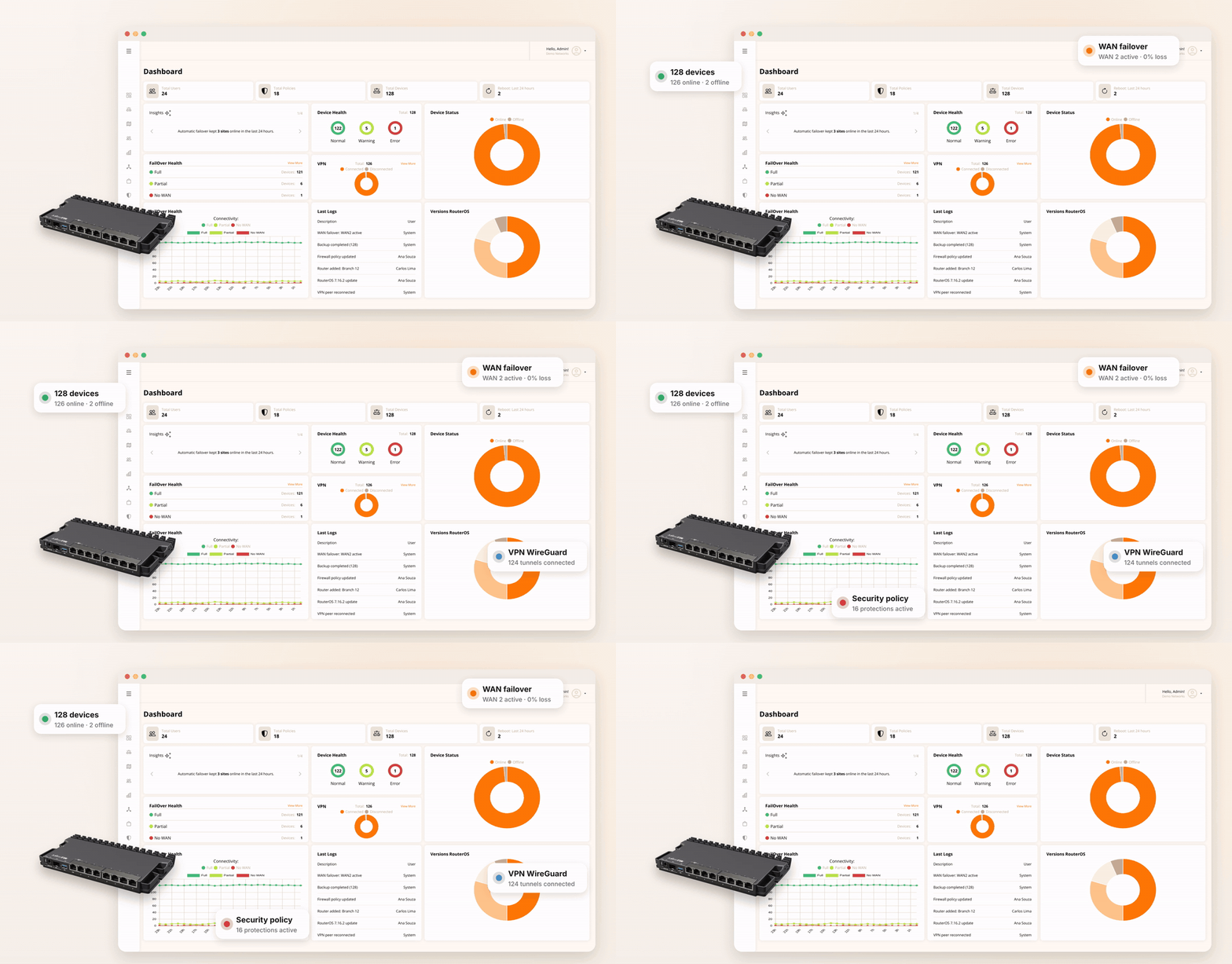
Monitor, manage and protect your MikroTik routers from one cloud dashboard. Handle VPNs, WAN failover and security policies centrally — without logging in to each router one by one.
How it works
Connect your first MikroTik and start managing your network in three simple steps.
No new hardware or complex installation. Keep your MikroTik routers as they are and manage them all from one cloud platform.
Create your account in minutes and get 7 days of full access to every feature — no credit card required.
Copy the connection command from your dashboard and run it once in the RouterOS terminal.
Start managing your routers centrally and enable the features your network needs.
Platform
Manage your entire MikroTik network from one place.
Bring connectivity, security, failover and network monitoring together in one dashboard for your entire MikroTik fleet.
Connect
Site-to-site VPN mesh and WireGuard remote access for your teams.
Protect
Security policies with 16 protections and NextDNS content filtering for every site.
Observe
Real-time telemetry, latency, packet loss, Grafana dashboards and alerts.
Automate
WAN failover for up to 4 links, PCC load balancing, daily backups and 1-click updates.
Observe
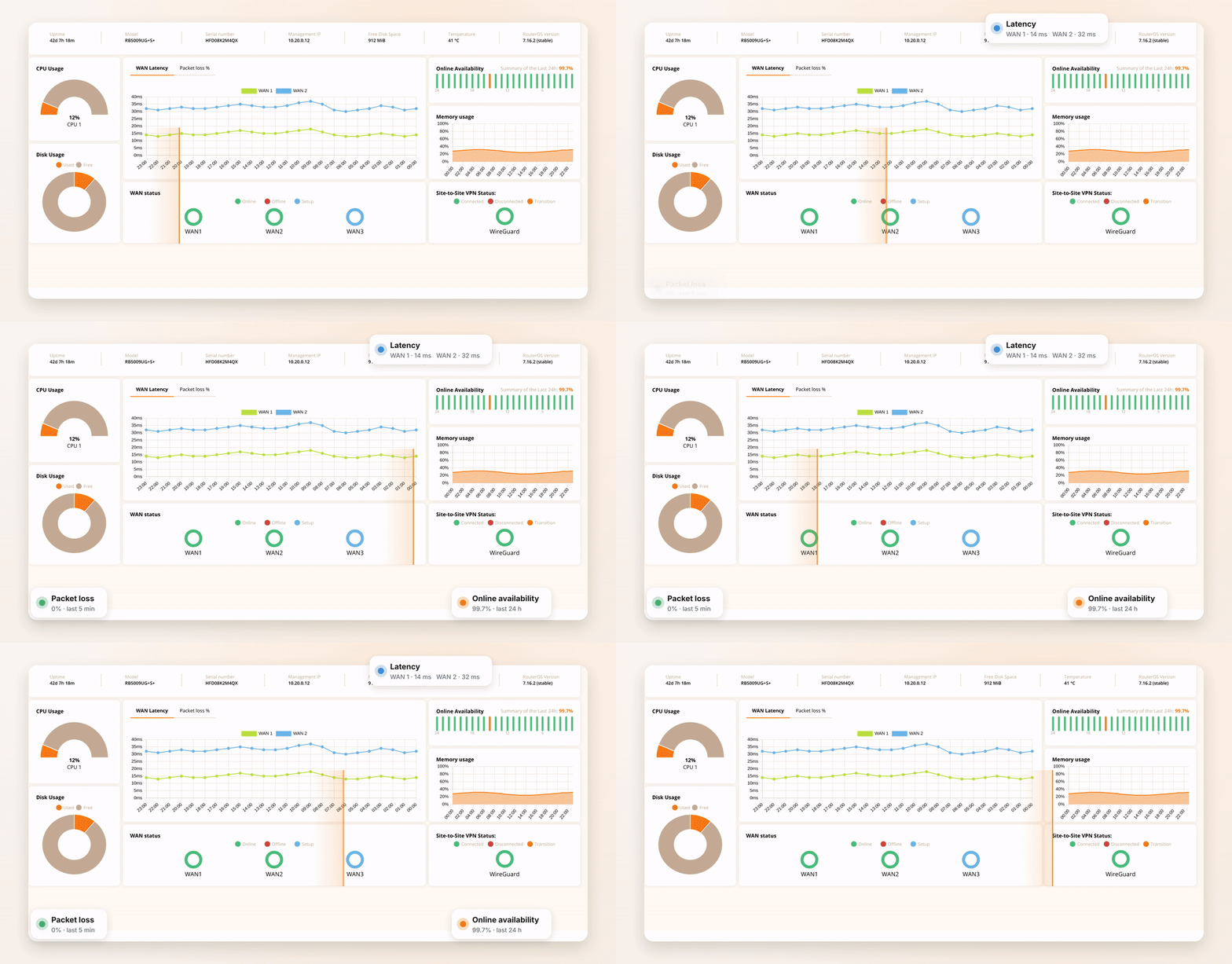
Know what is happening across your network — before users report a problem.
See device health, WAN quality and VPN status across all your sites in one place, instead of switching between separate tools.
- Device health and link availability
- Latency and packet loss per WAN
- VPN tunnel telemetry
- Instant e-mail and webhook alerts
Failover & load balance
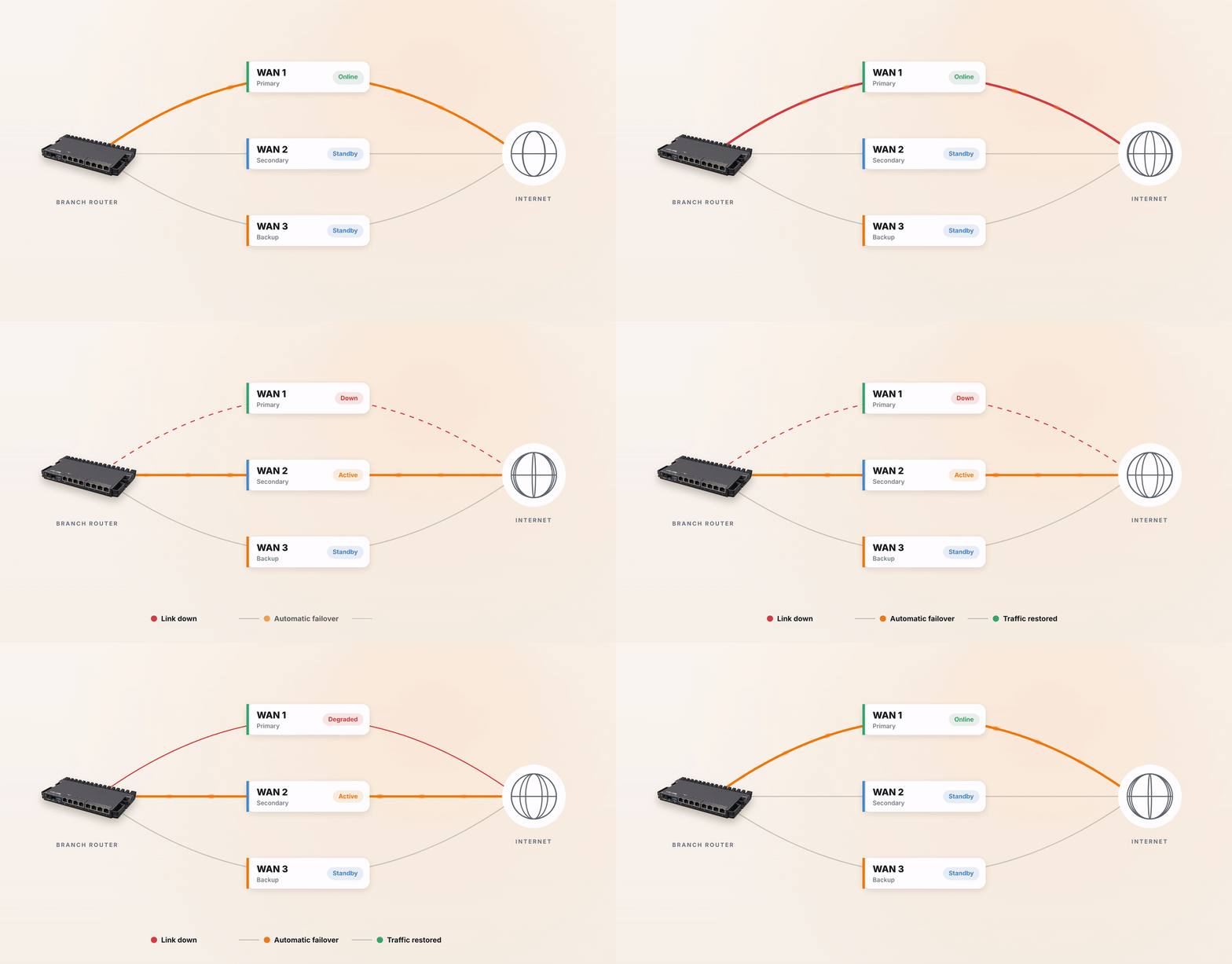
Keep your sites connected when an internet link goes down.
Monitor up to 4 WAN links per router and automatically switch traffic when a link degrades. Traffic can return when the link recovers.
- Up to 4 internet providers per router
- Automatic switching on link degradation
- Smart PCC load balancing
- Configured from the cloud, no manual mangle rules
VPN
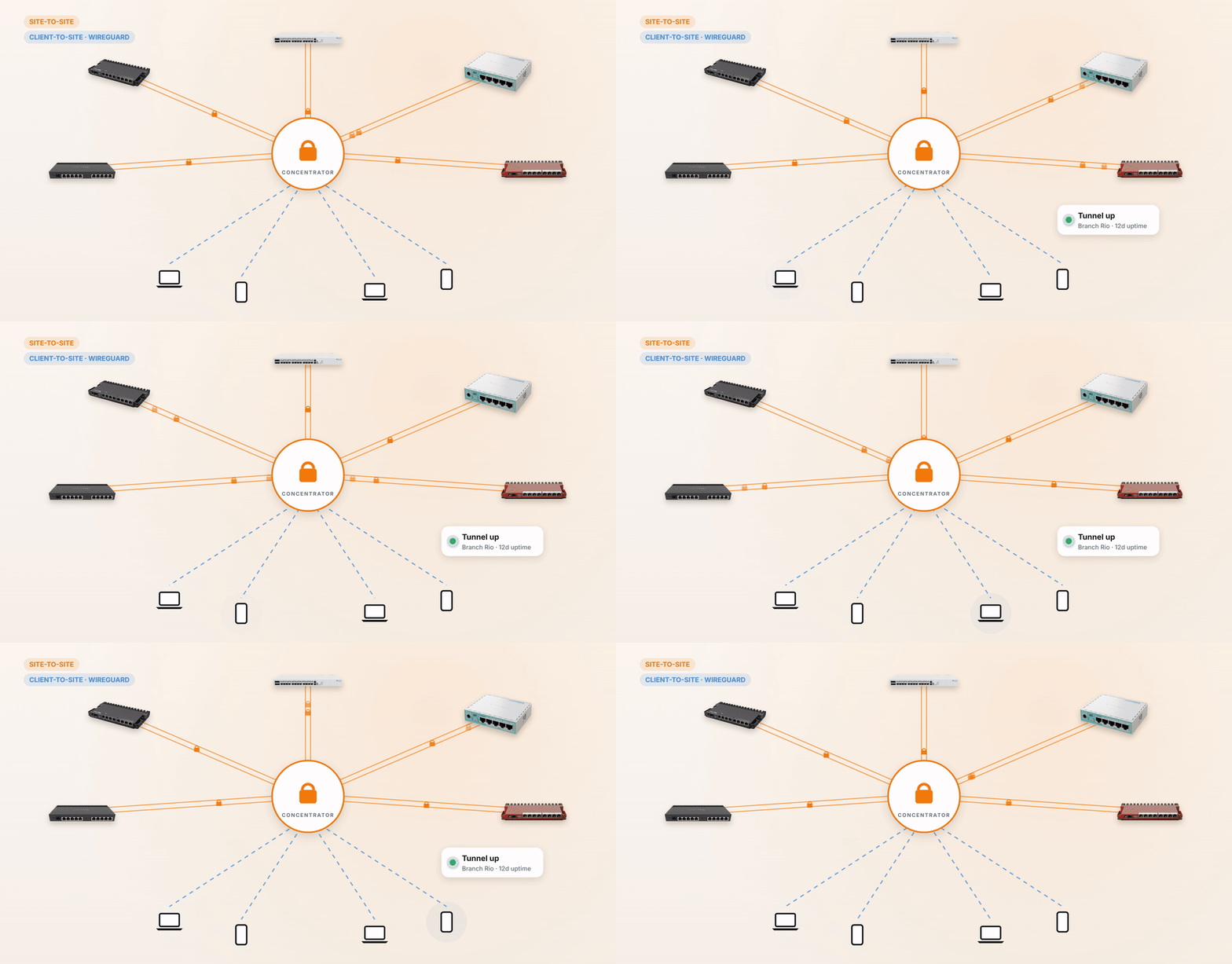
Connect your sites and remote teams with easier VPN management.
Configure site-to-site VPN connections and provide WireGuard access to remote users from a centralized dashboard — without building every tunnel manually.
- WireGuard, OpenVPN, SSTP and L2TP/IPsec
- VPN dashboard with status and uptime of every tunnel
- WireGuard client-to-site for remote users
- Share access by temporary link or e-mail
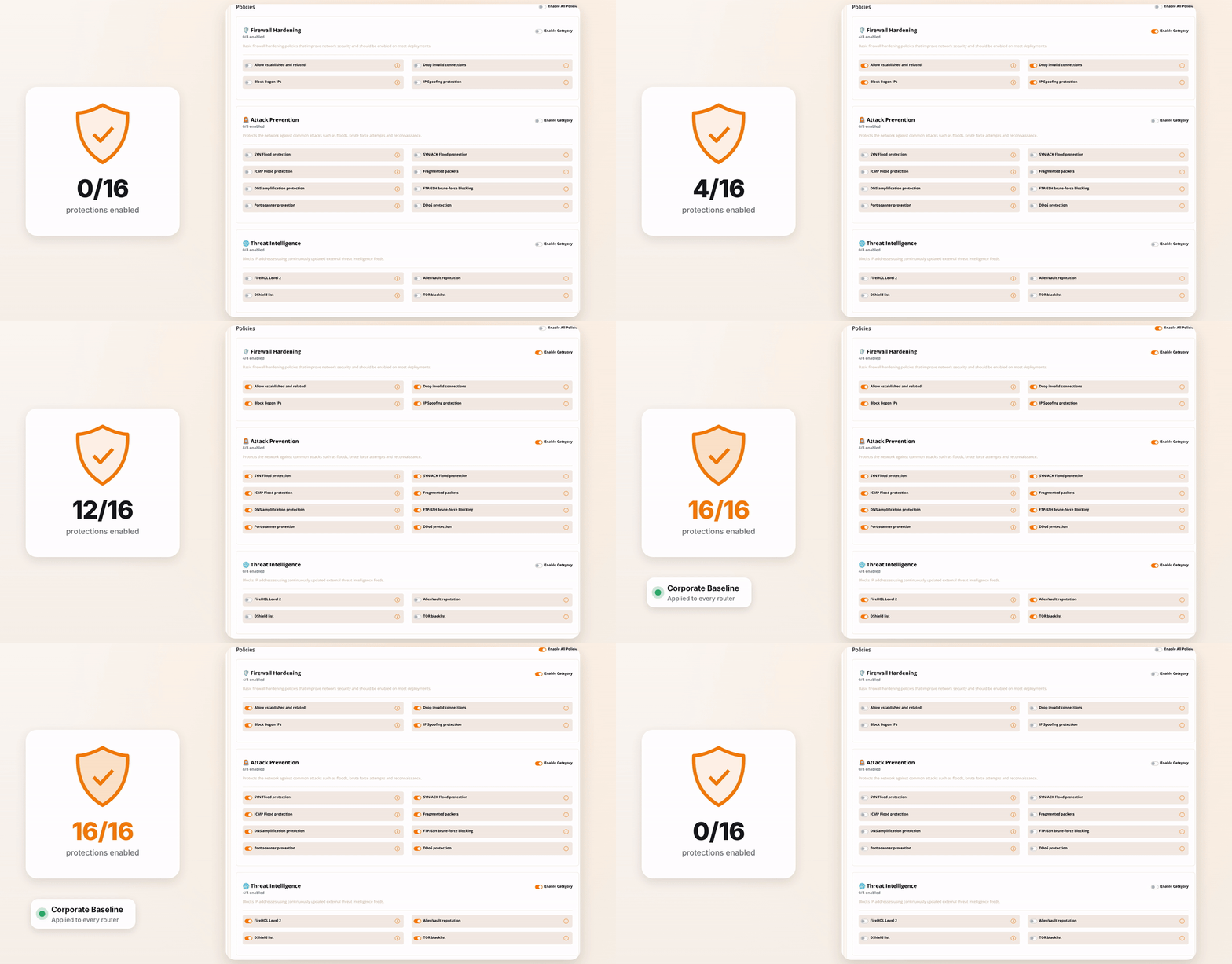
Security policies
Apply consistent security policies across your MikroTik network.
Configure firewall protections and threat intelligence in a policy, apply it across your sites and monitor security activity centrally.
- 16 protections: SYN/ICMP flood, port scan, brute force, DDoS…
- Threat lists: FireHOL, DShield, AlienVault and TOR
- Security dashboard with the most attacked devices
- NextDNS content filtering by category
Features
Manage, monitor and protect your MikroTik network.
Built for ISPs, MSPs and IT teams. One straightforward price per device, with all platform features included.
Automated VPN Mesh
Site-to-site and WireGuard tunnels created instantly, without complex scripts.
WAN Failover (up to 4 links)
Continuous link health checks with automatic traffic switching on degradation.
Security Policies
Firewall hardening, attack prevention and threat-intelligence lists, applied fleet-wide.
NOC Monitoring
Real-time metrics, interface status, latency and device availability.
Content Filter 2.0 (NextDNS)
Corporate web filtering by category and threat blocking powered by NextDNS.
Secure Remote Access
Reach Winbox and SSH behind CGNAT or dynamic IPs without opening public ports.
MaiK AI Assistant
AI specialized in RouterOS for diagnostics, rule audits and automation — launching soon.
Daily Cloud Backup
Automatic, centralized configuration backups for fast disaster recovery.
Zero-Touch Provisioning
Ship routers straight to the customer; they configure themselves once online.
Solutions
Built for professionals who manage MikroTik networks every day.
Manage hundreds of customer routers without a truck roll.
Provision, monitor and fix customer MikroTiks remotely — even behind CGNAT.
- →Zero-touch provisioning for new customers
- →Winbox/SSH access without public IPs
- →1-click RouterOS updates and daily backups
Before
- Site visits to fix configs
- Port forwards to reach routers
- Backups when someone remembers
With SD-WAN
- Fix it remotely in minutes
- Secure access through the cloud
- Automatic daily backups
One dashboard for every client you manage.
Standardize security, VPN and failover across all your customers' networks and track uptime with real data.
- →Users with role-based permissions
- →Reusable security policies for every client
- →Monitoring and alerts for every client
Before
- Different config on every client
- Firewall rules copied by hand
- No proof of uptime
With SD-WAN
- One standard, applied everywhere
- 16 protections in one policy
- Live uptime per client
Branches and remote staff, connected and protected.
Link every office with site-to-site VPN, give remote staff WireGuard access and keep each site online with failover.
- →Site-to-site VPN between all branches
- →WireGuard access for remote employees
- →NextDNS web filtering by category
Before
- VPNs configured with scripts
- A single link per branch
- Outages found by users
With SD-WAN
- Tunnels set up in a few clicks
- Automatic failover up to 4 links
- Alerts before users notice
Customers
See how organizations use MikroTik SD-WAN to manage their networks.
Enhanced security and centralized management. Site-to-site VPN secured branch communication and removed public firewall ports.
Simplified management and real-time NOC monitoring across multiple locations, with continuous uptime and fast alerts.
Stable connectivity and high-performance Wi-Fi for thousands of attendees over four days, centrally managed.
MaiK AI is on the way.
An AI assistant built for MikroTik engineers, for RouterOS diagnostics, firewall rule audits and scripts — coming soon to the platform.
Pricing
Every feature included. One predictable price per device.
Pay only for the MikroTik devices you manage. No feature tiers, setup fees or hidden costs.
Try the full platform free for 7 days. No credit card required — continue only if it works for your network.
Start free for 7 daysNo credit card required · Visa and MasterCard accepted
Included on every device
- Centralized cloud dashboard
- Site-to-site & WireGuard VPN
- WAN failover & load balancing (up to 4 links)
- Security policies with 16 protections
- NextDNS web content filtering
- Real-time monitoring & alerts
- Winbox/SSH remote access via CGNAT
- Daily cloud backups
- MaiK AI assistant (coming soon)
Frequently asked questions
What is MikroTik SD-WAN?
A cloud management platform for MikroTik routers. It centralizes monitoring, automated VPNs, link failover, security policies, web content filtering and RouterOS automation in one dashboard.
How do I connect my routers?
Start free for 7 days, copy the connection command from your dashboard and run it once in the RouterOS terminal. Your router will then appear in the cloud dashboard.
Which MikroTik models and RouterOS versions are supported?
MikroTik SD-WAN is certified Made for MikroTik and supports RouterOS v6 and v7 on MikroTik routers.
Do my routers need a public IP?
No. Routers behind CGNAT or dynamic IPs can be managed and reached via Winbox/SSH through the cloud, without opening public ports.
Who can benefit from MikroTik SD-WAN?
Internet service providers (ISPs), managed service providers (MSPs), IT support companies and corporate IT teams.
How much does MikroTik SD-WAN cost?
$5 USD per MikroTik device per month (R$25 in Brazil). The first 7 days are free, with no credit card required. Visa and MasterCard are accepted.
Is my data secure?
Data is encrypted in transit and at rest, administrative accounts use multi-factor authentication and access follows role-based permissions. See our Security Considerations page for details.
Your MikroTik network, managed from one place.
Create your free account, connect your first router and manage your network from the cloud.

